
CT SAVIN in New Haven County
Connecticut's version of VINE is CT SAVIN. The state Judicial Branch and its Office of Victim Services stand behind it. The official CT SAVIN brochure covers criminal court cases, CT DOC custody, and protective orders. Notices are confidential. They come in English, Spanish, Polish, and Portuguese. New Haven County has no county sheriff jail and no county VINE roster. Waterbury, New Haven, and Hamden police handle the initial arrests. Whether every city booking system feeds its first event into VINELink is left unsaid, so CT SAVIN reaches this county mainly through court and state correction data, pretrial DOC custody included. A fresh station booking may not show up.
Check a Person on VINELink
Pick the strongest identifier you have. A plain name can pull up several people, while an inmate ID or docket number pinpoints one record.
- Open Connecticut VINELink. Go to the Connecticut state page and confirm the selected state.
- Choose the search type. Search the covered offender or case area that matches the question.
- Enter identifiers. Use first and last name, inmate ID, or docket and case number as the interface offers.
- Review every match. Compare identifiers, court location, custody information, and dates. Do not select by name alone.
- Open the matching record. Read the status or event and note whether it concerns custody or court activity.
- Verify elsewhere. Compare the arresting police source, CT DOC, or Judicial Branch docket before treating the result as final.
The statewide search interface is shown in this neutral capture from VINELink Connecticut.
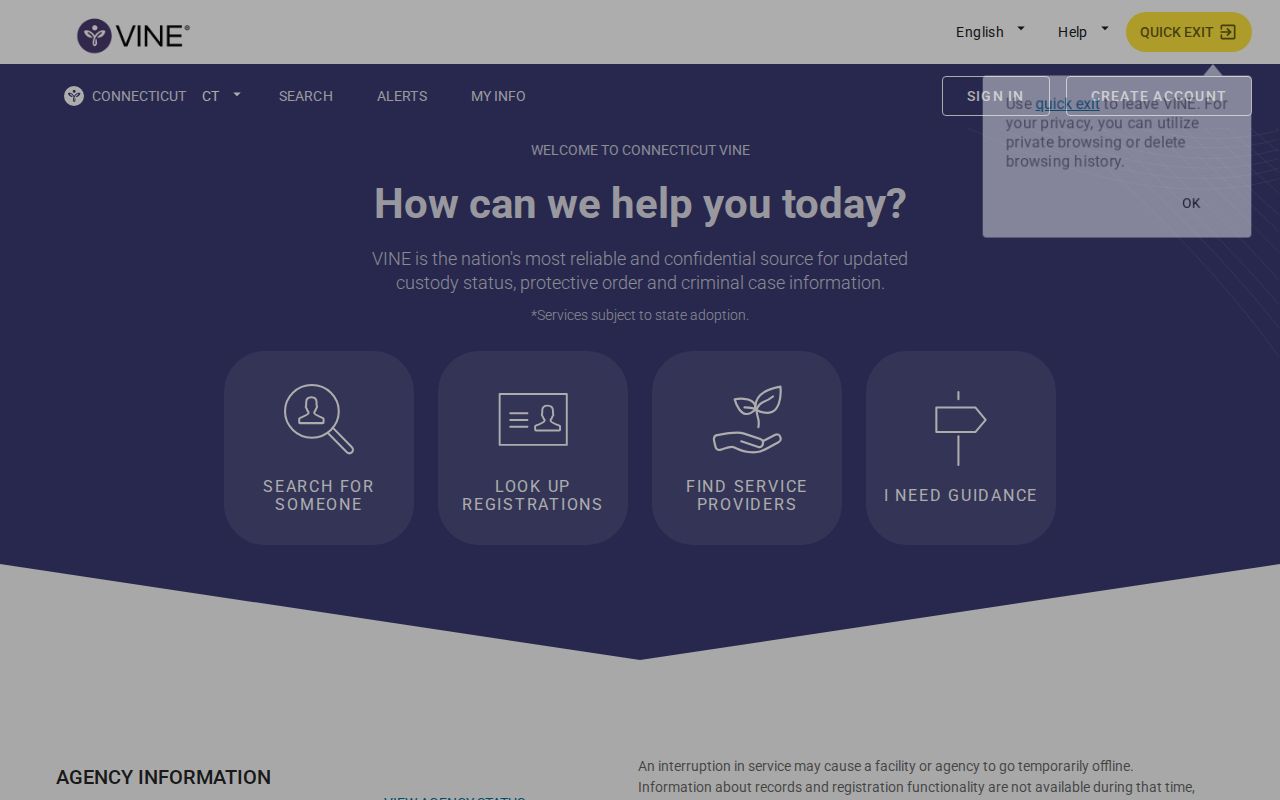
Think of it as a gateway. The screen handles search and registration, not a booking photo gallery or a stand-in for the police report.
What a VINELink Result Shows
The live interface sets the fields for each record. CT SAVIN's own papers stress status and events. They skip a full arrest narrative.
| Result element | What it can tell you |
|---|---|
| Name or identifier | Helps distinguish matches; confirm with a docket or inmate ID when possible. |
| Custody status | The state-supported status reported for the covered person. |
| Facility or agency | Where a covered custody record is associated, when displayed. |
| Release event | A scheduled or completed release notice, not the full court disposition. |
| Transfer event | A move, including an out-of-state transfer when covered. |
| Court event | A hearing, bail change, plea, failure to appear, protective-order or other covered update. |
| Registration control | The path to subscribe for the selected custody or court record. |
Custody events include scheduled release, release, escape and return, release to community, out-of-state transfer, and parole activity. Court notices cover the case itself. Hearings, bail changes, pleas, failure to appear, protective orders, probation violations, sentence reductions, and appeals can all generate alerts. Coverage depends on the record and the service.
Register for CT SAVIN Alerts
Finding a record creates nothing by itself. Connecticut keeps court notifications separate from custody notifications, so complete both choices if both matter.
- Select the matched record. Confirm the identity and the event stream before registering.
- Choose custody or court alerts. Register separately for both if both kinds of change matter.
- Select a delivery route. Use a phone number, text-capable number, email address, or app option currently offered.
- Create a phone PIN. Record the four-digit PIN used to manage or confirm phone notices.
- Save confirmation details. Keep the instructions needed to update the registered contact later.
- Maintain a safety plan. Do not depend on an automated notice as the sole warning of a release or transfer.
The service costs nothing. It stays confidential too. The brochure allows more than one phone number and email, but never register someone else's contact details or expose a PIN in a screenshot or shared note.
Phone, Text, Email, and App Notices
Each delivery method behaves differently. Per the state brochure, phone calls repeat every 30 minutes until received. Without a four-digit PIN, calls can keep coming every two hours for up to 48 hours. Text and email notices go out once. The app can push alerts too. Registration details can be changed through the same service at any time. The telephone line is 1-877-846-3428, with TTY at 1-866-847-1298 and the Office of Victim Services helpline at 1-800-822-8428. These are program numbers, not booking desks. Ask the arresting agency for the initial arrest record. CT DOC holds the current state-custody data.
Note: One missed call or one-time text can matter greatly, so keep registration details current and confirm every change through an official channel.
Custody and Court Alerts Differ
Custody alerts track movement and release. Court alerts track the case. One can move while the other sits still, like a bail change logged in court before custody data catches up. A transfer shifts the custody location without touching the charge itself.
| Alert stream | Examples |
|---|---|
| Custody | Scheduled release, release, escape and return, community release, transfer, parole event. |
| Court | Hearing, bail change, plea, failure to appear, protective order, appeal. |
Register for one stream only and a gap opens. That split is CT SAVIN's signature trait. It is exactly why the record and alert type deserve careful matching.
Fresh Arrests Can Lag VINELink
An arrest at a Waterbury, New Haven, or Hamden station often precedes any court or CT DOC entry. The department must process the booking first. Then a court or correction system has to record its stage before CT SAVIN can report anything. A name mismatch hides matches too. So does a thin identifier. For a very recent arrest, start with the arresting department and the New Haven County Arrests Last 24 Hours guide. Hamden posts Daily Arrest Logs. Waterbury and New Haven publish selected releases. If state custody looks likely, search CT DOC by inmate number or last-name prefix, and use the Judicial Branch docket for the court case.
VINELink Does Not Cover Federal Custody
CT SAVIN's documented scope covers Connecticut criminal court, CT DOC custody, and protective orders. That is where it stops. It is not the federal Bureau of Prisons locator, a U.S. Marshals custody system, or the ICE Online Detainee Locator. Federal and immigration cases need their own sources. Never guess federal or immigration status from a name, a photograph, or a missing Connecticut result. BOP custody, federal pretrial detention, and ICE custody each update on their own paths. Someone can sit in municipal custody, unseen. The originating agency is the best first call.
VINELink Status Is Not a Disposition
A VINELink custody answer covers one narrow thing: where a person is held right now. CT DOC can hold an accused or unsentenced person. CT SAVIN can report events while charges are still pending. Those initial charges may later be reduced, dismissed, or resolved after court review. To follow the case outcome, use the Connecticut Judicial Branch docket instead.
Some material stays out of public view. Protective victim information, youthful-offender records, sealed files, and erased records may not appear. Search for a known person with a permitted need for custody or case notice. The results make more sense that way.